Type it
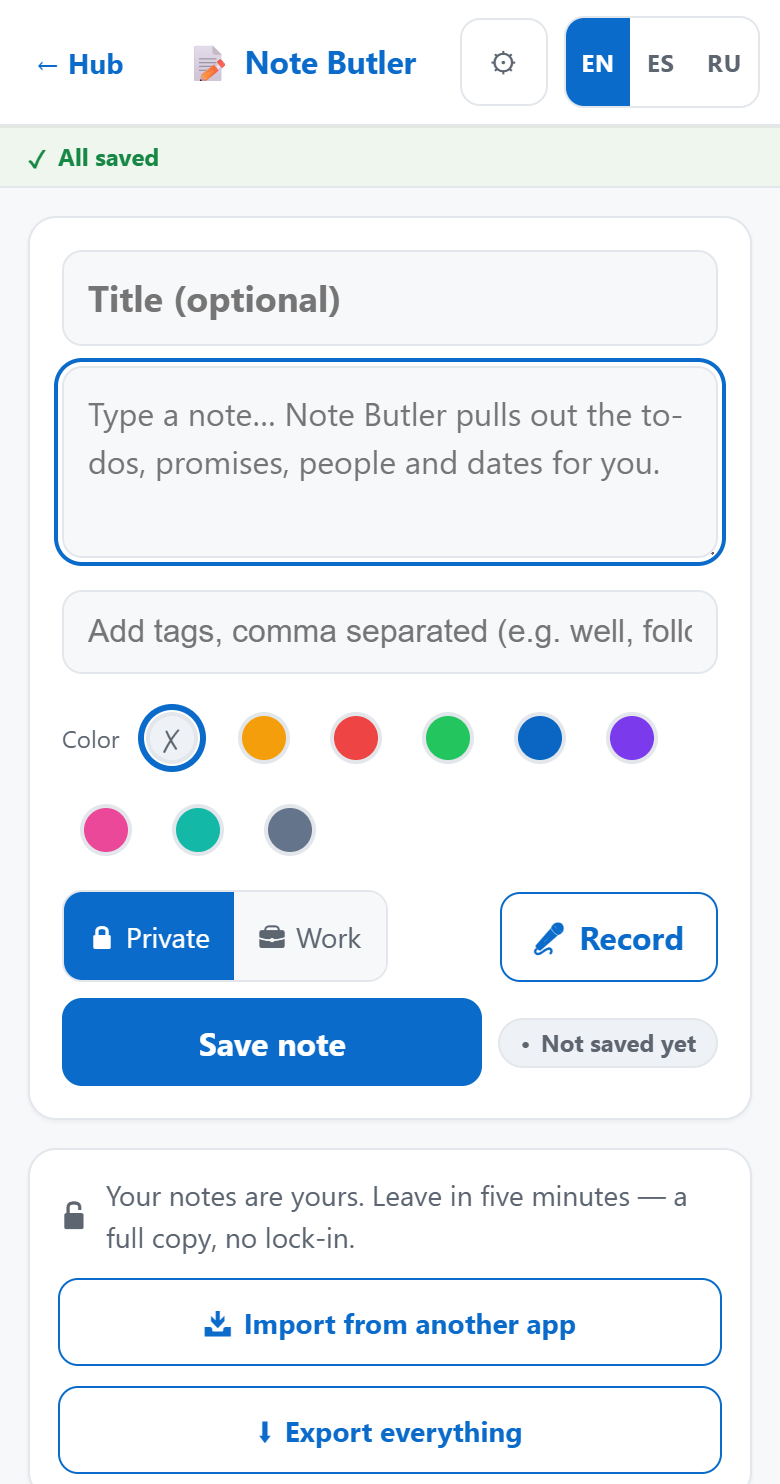
The app opens on an empty note with the cursor already blinking. Add a title if you want one, tags if you'll want them later, and a colour if your eye works that way.
Note Butler is a note taking app built for service businesses. Type it, say it, or snap it on your phone — then find it again in seconds, years later.
Already inside ButlerCore? It's the Note Butler tile on your hub.
Hands full, gloves on, standing in a hole. The note still has to get made.
The app opens on an empty note with the cursor already blinking. Add a title if you want one, tags if you'll want them later, and a colour if your eye works that way.
Tap Record, talk, tap stop. A plain count-up timer shows it's running. The recording is saved before anything tries to transcribe it — so the audio is safe even when the words come out garbled.
Attach a photo — the tank lid, the panel, the serial plate. Note Butler reads the words inside the picture, so a model number you photographed is a model number you can search for.
Every note gets pulled apart for the parts that turn into work.
"I'll call you Tuesday" is a commitment, not a sentence. Note Butler lifts out the to-dos and the promises you made and keeps them on their own lists, so the thing you said in a driveway doesn't die in a paragraph.
Names, dates and the hard details — depths, sizes, model numbers — come out as their own tagged pieces. You can also just ask your notes a question and get an answer with the notes it came from cited underneath.
A note you can't find again was never a note. It was typing.
Titles, bodies, tags, what you said out loud, and the text read out of your photos — all one search. Titles and tags are weighted heaviest, so the obvious answer comes first.
Filter by kind — typed, voice, photo or imported — and by tag and date range. Every filter is a word and an icon, never a colour on its own.
The whole library lives on the phone as well as the server, so it opens, lists and searches in a crawlspace. Notes you write with no signal queue up and send themselves when you climb out — the app tells you how many are waiting.
Because Note Butler lives with the rest of the suite, a jotted thought turns into real work in one tap — and the note stays a note, linked both ways.
"Needs a pump-out Thursday" goes to the dispatch board as a job, carrying the customer it named and the date it mentioned.
WORKING TODAYA voice memo from the field lands on the inspection report as a finding — and the photos and audio you attached ride along as the report's own media.
WORKING TODAYEvery reason people abandon a notes app, answered on purpose.
Delete tucks a note away instead of destroying it, and it comes back whenever you ask — there's no window that closes. Every save is kept as its own version, so you can read what a note said last month.
One button hands you the whole library in a single download: a plain text file per note, one complete data file with the full history, a printable PDF, and every attachment byte-for-byte. No export fee, no support ticket.
Import straight from Apple Notes, Google Keep, Evernote or Notion, duplicates weeded out on the way in. Starting over shouldn't mean leaving ten years of notes behind.
Two buttons on every note. Private is yours alone; Work is readable by your company. Nothing is shared by accident.
Put a job's notes in a shared space, invite the people who need it as owner, editor or viewer, and talk it through in comments on the note itself.
Turn a single note into a read-only link. Every open is logged, and you can switch the link off again whenever you want.
Note Butler comes out of WNCIL, LLC — a working well and septic business in Western North Carolina. It was written because the notes app on the phone kept losing the one thing that mattered: what the customer actually said, on site, six months ago.
That's why the odd-looking decisions are in here. Why nothing is ever really deleted. Why the export button is on the main screen instead of buried in settings. Why a voice note saves the audio before it tries to transcribe it. Those aren't features off a checklist — they're scars.
Note Butler is one module of ButlerCore. Take the ones you need, skip the rest — one account, one bill, no new password to forget.
Open Note Butler on the phone that's already in your pocket.
Already have an account? Log in here.